
Self-Publishing & KDP
KDP Paperback Cover Size: Spine, Bleed & Template Guide (2026)
Calculate the correct KDP paperback cover size using the final page count, spine width, trim size, bleed, safe zones, and a current KDP template.
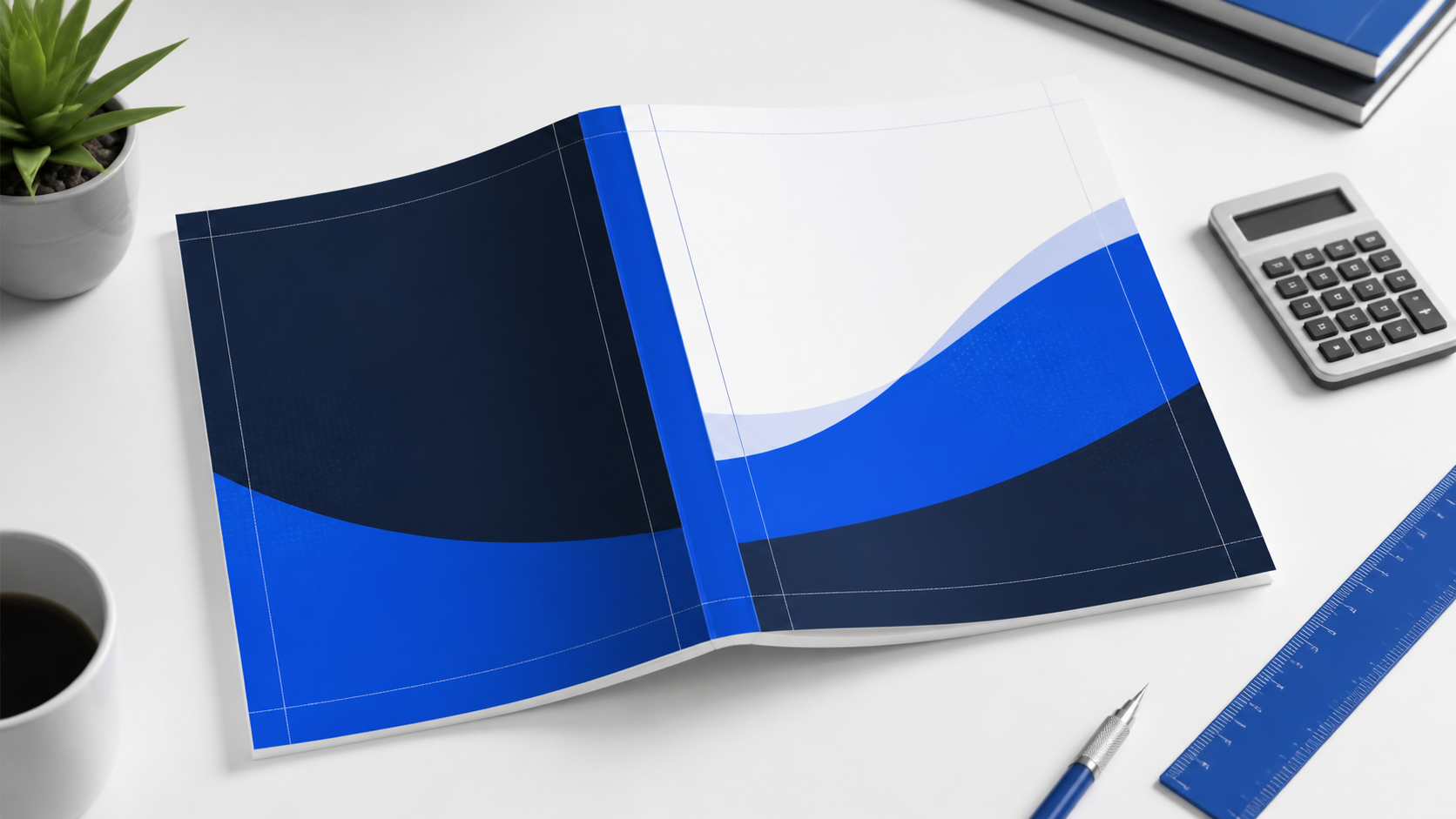
A KDP paperback cover must be one full-wrap PDF: back cover, spine, and front cover in one file, with 0.125 in (3.2 mm) bleed around the outside. The final width depends on your trim width, final page count, and paper/ink choice; the safest route is to use KDP’s Cover Calculator and Template Generator after the interior is final.
KDP paperback cover size at a glance
Do not set a paperback cover to the same size as its front cover. A print cover wraps around the entire book, so it includes the back, spine, front, and bleed. KDP requires a single PDF cover file; every cover includes bleed, even if the interior does not. Use the final interior page count before you calculate anything, because a change in pages can change the spine width and therefore the complete cover size.
| Cover element | What determines it | What to do |
|---|---|---|
| Front and back cover | Your selected trim width and height | Each visible cover panel uses the final trim dimensions. |
| Spine | Final page count, paper type, and interior ink choice | Use KDP’s current calculator or the applicable official formula. |
| Bleed | KDP print requirement | Add 0.125 in / 3.2 mm around all outside edges of the full wrap. |
| Safe zones | Trim and fold tolerance | Keep text and essential artwork inside the template’s marked safe areas. |
| Barcode zone | Your barcode choice | Leave the marked back-cover area clear when KDP supplies the barcode. |
The KDP paperback cover-size formula
KDP expresses the full cover in two dimensions. The width includes a left bleed, back-cover width, spine width, front-cover width, and right bleed. The height includes top bleed, the trim height, and bottom bleed.
Cover width = 0.125 in bleed + back-cover trim width + spine width + front-cover trim width + 0.125 in bleed.
Cover height = 0.125 in bleed + trim height + 0.125 in bleed.
For example, a 6 × 9 in paperback always has two 6-inch cover panels, but its spine is not fixed. A 100-page cream-paper book, a 300-page white-paper book, and a premium-color edition will each have a different full-wrap width. This is why resizing a cover after a last-minute interior edit often fails.
For a clear distinction between the flexible Kindle workflow and the fixed print workflow, read Ebook vs Paperback Formatting. The print edition needs its own final cover PDF.
How to calculate KDP spine width
The page count means the count in the final interior PDF after all front matter, chapter breaks, blank pages, and back matter are included. KDP’s published formulas use the final page count and the paper or color option selected for the paperback. For common black-and-white paperbacks, KDP currently lists:
| Interior type | Official KDP spine calculation | Important note |
|---|---|---|
| Black ink on white paper | Page count × 0.002252 in (0.0572 mm) | Use the final submitted page count. |
| Black ink on cream paper | Page count × 0.0025 in (0.0635 mm) | Cream paper produces a different spine width. |
| Groundwood paper | Page count × 0.00235 in (0.0596 mm) | Confirm that this option applies to your chosen setup. |
| Color interior | Use KDP’s current calculator and the correct color option | Color-paper specifications can differ by option and change over time. |
Use the formula only as a useful check. The KDP Cover Calculator and Template Generator is better for production because it incorporates the choices you make for binding, ink, paper, trim size, reading direction, and page count. Download a new template whenever any of those inputs changes.
Why the KDP template matters more than a generic formula
The calculator generates a book-specific template with the full cover, visible cover panels, safe areas, trim lines, spine, spine safe area, margins, and barcode margin. It reduces two common errors: using a generic template for the wrong page count and placing key elements too close to a fold or trim line.
Keep the downloaded PNG or PDF template on a locked guide layer in your design application. Build the actual artwork under it, extend any background to the outer bleed edge, and hide or remove the guide layer before exporting the final PDF. The uploaded cover should not contain crop marks, trim marks, comments, invisible objects, placeholder text, or surrounding white space.
Need the interior finalized before the template can be trusted? Cebooker’s paperback book formatting and cover-design service can prepare a coordinated print-ready package.
Bleed, safe zones, and barcode space
Bleed is mandatory on a KDP paperback cover
All KDP paperback covers require 0.125 in / 3.2 mm of bleed on all sides. Extend a color, photograph, texture, or background that should reach the physical edge all the way through that bleed. If the artwork ends at trim, cutting variance can leave an unwanted white line.
Keep essential content inside the safe area
Bleed protects edge-to-edge art; it does not protect critical content. Keep title text, author name, small logos, important image details, and decorative rules inside the safe areas shown by the current template. KDP also advises keeping content you do not intend to trim at least 0.25 in / 6.4 mm from the outside cover edge.
Leave the barcode zone clear when KDP adds the barcode
You may upload a cover with your own barcode. If you do not, KDP places one on the back cover. The template identifies the barcode margin, so do not put essential text, faces, or high-detail artwork in that region. This keeps the code readable and prevents an automatic placement from covering something important.
A practical KDP cover setup workflow
- Finalize the interior PDF: trim size, margins, pages, and blank-page behavior all matter.
- Record the final page count shown by the print-ready interior.
- Open KDP’s Cover Calculator and Template Generator; enter the exact binding, ink, paper, trim size, direction, and page count.
- Download the fresh template and place it as a locked guide in the cover-design file.
- Design the back cover, spine, and front as one continuous full-wrap composition.
- Extend full-bleed art through the bleed; keep vital text within safe zones.
- Flatten layers, embed fonts and images, remove marks and hidden objects, then export one PDF.
- Upload to KDP and inspect every warning in Print Previewer. If the interior changes, regenerate the template and cover.
Before going further, use the broader KDP formatting requirements guide to check the manuscript and cover as one release package.
Common KDP cover-size errors and fixes
Using the trim size as the PDF size
A 6 × 9 cover is not a 6 × 9 PDF. That is only one visible panel. Export the complete back-spine-front wrap at the calculator’s dimensions.
Building the cover before the page count is final
A page-count change can alter spine width. Keep an editable source file, but finish the actual cover only after the interior PDF is locked.
Using a template from another edition
Different trim sizes, paper choices, ink options, directions, and page counts can all change the template. Generate a specific template for every edition.
Leaving non-bleed artwork at the edge
If something is meant to hit the edge, extend it through bleed. If it is not, move it safely inside the template’s safe zone.
Adding crop marks or white canvas outside the cover
KDP expects a clean full-cover PDF with bleed, not a printer’s sheet. Remove crop marks, trim marks, and any extra white boundary before upload.
If KDP has already stopped your cover at preview, work through the targeted fixes in KDP Cover Rejected: Size, Bleed, Spine, and PDF Fixes.
Frequently asked questions
What size should a KDP paperback cover be?
It is the full back-cover + spine + front-cover wrap, with 0.125 in bleed around the outside. Its exact dimensions depend on trim size, final page count, and the selected paper and ink options. Use KDP’s current calculator for the definitive size.
How much bleed does a KDP paperback cover need?
KDP requires 0.125 in (3.2 mm) bleed on all sides of the full cover. A background intended to reach the edge must extend into this area.
Can I put text on the spine of my KDP paperback?
KDP prints spine text only on books with more than 79 pages. Keep it inside the spine safe area on the current template and avoid a narrow-spine design that cannot tolerate binding variation.
Can I upload a JPG cover to KDP paperback?
For a paperback cover upload, KDP requires one PDF containing the back cover, spine, and front cover. Cover Creator has separate accepted formats for its own workflow, but a custom print cover should follow the current PDF requirement.
Do I need a barcode on my cover?
You can supply your own barcode. If you do not, KDP can place one on the back cover. Reserve the barcode area in the calculator template so it does not cover essential design elements.
Should I use a professional cover designer?
It is especially useful for a full-wrap print edition, illustrated work, a narrow spine, complex typography, or a series. A professional file is still worth previewing after every material interior change. For scope expectations, see Book Formatting Cost in 2026.
Official KDP sources
- Create a Paperback Cover
- Paperback Submission Guidelines
- Format Your Paperback
- Fix Paperback and Hardcover Formatting Issues
- KDP Tools and Resources
Need a print-ready KDP paperback cover?
Share the final interior PDF, trim size, page count, ink and paper choices, and any Previewer warning. Cebooker can help prepare a full-wrap cover that matches the final paperback specification.