
Self-Publishing & KDP
Ebook vs Paperback Formatting: What Authors Need for Amazon KDP
Learn how ebook and paperback formatting differ for Amazon KDP, including file types, layout, page numbers, images, covers, and separate deliverables.
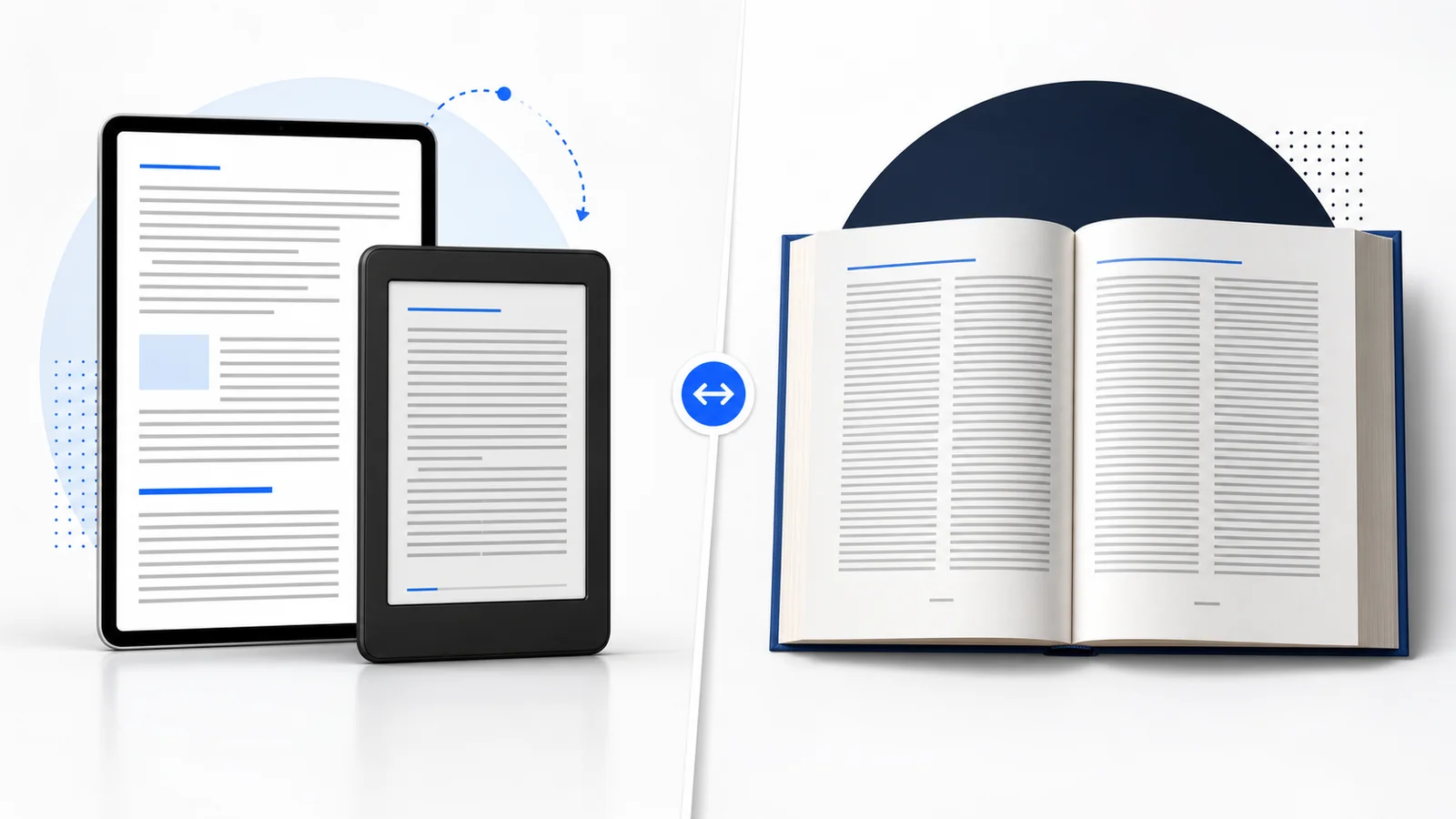
Ebook and paperback formatting are two different production processes. An ebook is usually reflowable: the reader can change the font, size, spacing, orientation, and device. A paperback is fixed: every line, margin, page number, and image must stay in its designed position when the book is printed. Authors can begin with one edited manuscript, but they normally need a separate digital file and print file for Amazon KDP.
Ebook vs paperback formatting at a glance
| Feature | Ebook formatting | Paperback formatting |
|---|---|---|
| Primary purpose | Comfortable reading across screens | Predictable pages for manufacturing |
| Typical final file | EPUB, DOCX, or KPF | Print-ready PDF |
| Layout | Reflowable for most books | Fixed to the selected trim size |
| Font | Readers may override it | Embedded and controlled by the designer |
| Page numbers | Generally omitted | Normally included |
| Headers/footers | Generally omitted | Can include author, title, or chapter information |
| TOC | Clickable navigation | Printed page references where useful |
| Margins | Adapt to the reading system | Designed around trim, binding, and bleed |
| Images | Responsive and file-size conscious | High-resolution and positioned precisely |
| Cover | Front-cover image | Back, spine, and front in one full-wrap PDF |
This difference is not merely technical. It changes how a reader experiences the book. Ebook formatting gives the reader control. Paperback formatting gives the designer control so the printer can reproduce the same object consistently.
How ebook formatting works
Most Kindle ebooks use reflowable content. Think of the text as water flowing into different containers. The same chapter can fill a phone screen, a Kindle e-reader, a tablet, or a browser window. When the reader increases the type size, lines and page breaks change automatically.
Structure is more important than fixed position
A professional ebook uses semantic structure: real chapter headings, paragraphs, lists, quotations, captions, and navigation. This allows reading systems to understand the content and present it appropriately. Tabs, spacebar alignment, repeated empty paragraphs, and manually positioned text are unreliable because the screen size is unknown.
Chapter openings can still feel distinctive through restrained styles, drop caps, ornaments, and spacing. The aim is not to remove design; it is to use design that survives changes in screen and reader settings.
The reader controls typography
Kindle readers can often choose their preferred font, size, line spacing, margins, and theme. Embedded fonts may be used in supported circumstances, but they should not be required for basic readability. A book should remain clear when a user selects a different font or reads with a large text setting.
Navigation replaces printed page references
Because the visible page count changes, an ebook relies on clickable navigation rather than a printed table of contents with fixed page numbers. Heading structure should generate reliable chapter navigation, and every internal link should be tested.
External links, footnotes, endnotes, and references also need testing. A link that works in a source Word file can be lost or malformed during conversion.
Images must work on narrow screens
Images, diagrams, and tables need enough detail to remain useful without forcing horizontal scrolling or creating a huge download. Wide tables may need to be simplified, divided, or converted into a carefully tested image with an accessible description. Image-heavy books may require a specialist reflowable or fixed-layout approach.
What ebooks normally remove
Running headers, footers, print page numbers, mirrored margins, and intentionally blank right-hand pages generally do not belong in a reflowable ebook. Including them as ordinary content can cause duplicate headings, confusing number sequences, and unexpected blank screens.
How paperback formatting works
Paperback formatting creates physical pages. The book has a chosen width and height, paper, ink, binding, and final page count. Each decision affects the layout and cover.
Trim size defines the page
The trim size is the book’s finished size after printing and cutting. It determines line length, words per page, total page count, and the physical impression of the book. A compact novel and an 8.5 × 11 workbook should not use the same typographic system.
Margins include room for binding
Print pages need top, bottom, outside, and inside margins. The inside margin includes the gutter—the extra space that keeps text from disappearing into the binding. As page count increases, the minimum gutter requirement increases. A thoughtful design may use more space than the technical minimum to improve comfort.
Print uses page-level typography
The formatter controls typeface, size, leading, paragraph indents, chapter openings, folios, headers, footers, hyphenation, and page endings. Good typesetting avoids distracting widows, orphans, loose lines, and inconsistent chapter starts. It also keeps display pages, body pages, and blank pages visually coherent.
Print navigation uses page numbers
A nonfiction paperback may include a table of contents with exact page references, an index, running heads, notes, and cross-references. Those references must be generated or updated after pagination is final. A late text correction can move several later sections and make an old TOC inaccurate.
Bleed and image resolution matter
If an illustration or background should reach the trimmed edge, it must extend into bleed. Important content stays inside safe margins. KDP’s current paperback guidance calls for images of at least 300 DPI and requires fonts and images to be embedded in submitted files.
Why you usually need separate ebook and paperback files
The two editions can share the same final wording, chapter order, and core visual identity. They should not share every layout decision.
- An EPUB cannot preserve a print page. Its strength is adapting to devices.
- A print PDF cannot reflow comfortably. It preserves the page, which makes small screens difficult.
- Navigation differs. Ebooks use links and reading-system navigation; print books use folios and physical page references.
- Covers differ. The ebook needs a front image; the paperback needs a full wrap based on page count and paper.
- Corrections propagate differently. A one-line print correction can change pagination and spine width, while an ebook correction may affect conversion or navigation without a fixed page count.
Amazon’s own ebook formatting guide warns that a manuscript already prepared as a paperback needs ebook-specific reformatting to prevent errors. For a detailed specification checklist, see Amazon KDP Formatting Requirements.
A practical workflow for publishing both editions
- Finish editing first. Resolve structural editing, copyediting, and proofreading before final formatting.
- Clean the source manuscript. Apply consistent heading and paragraph styles; remove tabs, manual spaces, and accidental breaks.
- Plan the editions. Confirm Kindle ebook, paperback, hardcover, or wide EPUB distribution and identify any complex content.
- Build the ebook. Create the reflowable structure, navigation, links, responsive images, and digital front/back matter.
- Build the paperback. Choose trim size and print options, then design fixed pages, margins, hierarchy, and pagination.
- Finalize the print interior. Confirm the final page count before producing the full-wrap paperback cover.
- Preview separately. Use Kindle Previewer for digital behavior and KDP Print Previewer plus a physical proof for print.
- Archive source files. Keep editable production files so corrections and future editions do not require starting over.
Which edition should be formatted first?
If both editions will launch together, start from a clean final manuscript and plan both before committing to detailed styling. Many projects build the ebook structure first and then typeset the paperback, but complex illustrated books may begin with the print design. The critical rule is to finalize the paperback interior before sizing its full-wrap cover.
For a text-led book, the two workflows can progress efficiently from the same styled source. For a workbook, cookbook, children’s book, poetry collection, or heavily illustrated nonfiction title, discuss the digital format early. Some print layouts cannot be reproduced meaningfully as a conventional reflowable ebook.
Frequently asked questions
Is Kindle formatting the same as paperback formatting?
No. Kindle formatting is normally reflowable and device-responsive. Paperback formatting creates fixed pages with trim size, margins, gutter, pagination, and print-ready output.
Can I upload my paperback PDF as a Kindle ebook?
KDP may support PDF in limited ebook workflows, but a fixed print PDF is usually uncomfortable for conventional Kindle reading. A properly structured EPUB, DOCX, or KPF is normally more appropriate. See EPUB vs PDF for KDP.
Do I need two different covers?
You need two deliverables based on the same visual design. The ebook uses the front cover. The paperback uses a single full-wrap PDF containing back, spine, and front, sized after the interior page count is final.
Why does my ebook not match the paperback page for page?
A reflowable ebook has no permanent page geometry. Reader settings change how many words appear on each screen, so exact print pagination is neither expected nor desirable.
Can I reuse the same ISBN?
Different formats are separate editions and have their own identifier requirements. Review KDP’s current ISBN guidance for the formats you plan to publish.
Should a paperback have a clickable TOC?
The print PDF can contain hyperlinks, but readers navigate a physical paperback using page numbers. Build a printed TOC for the book’s actual final pagination.
Professional formatting options
Cebooker Studio offers Kindle and EPUB formatting and paperback book formatting and cover design. The goal is a coordinated set of files that feels like one book while respecting the needs of each medium.
Publishing in both Kindle and paperback?
Send the final manuscript, expected formats, and any special elements such as tables, images, footnotes, or worksheets. Cebooker can recommend the right two-edition workflow.
Official KDP references
The technical distinctions in this guide are based on Amazon’s current publishing documentation. Platform requirements can change, so confirm the live help pages before final delivery.